
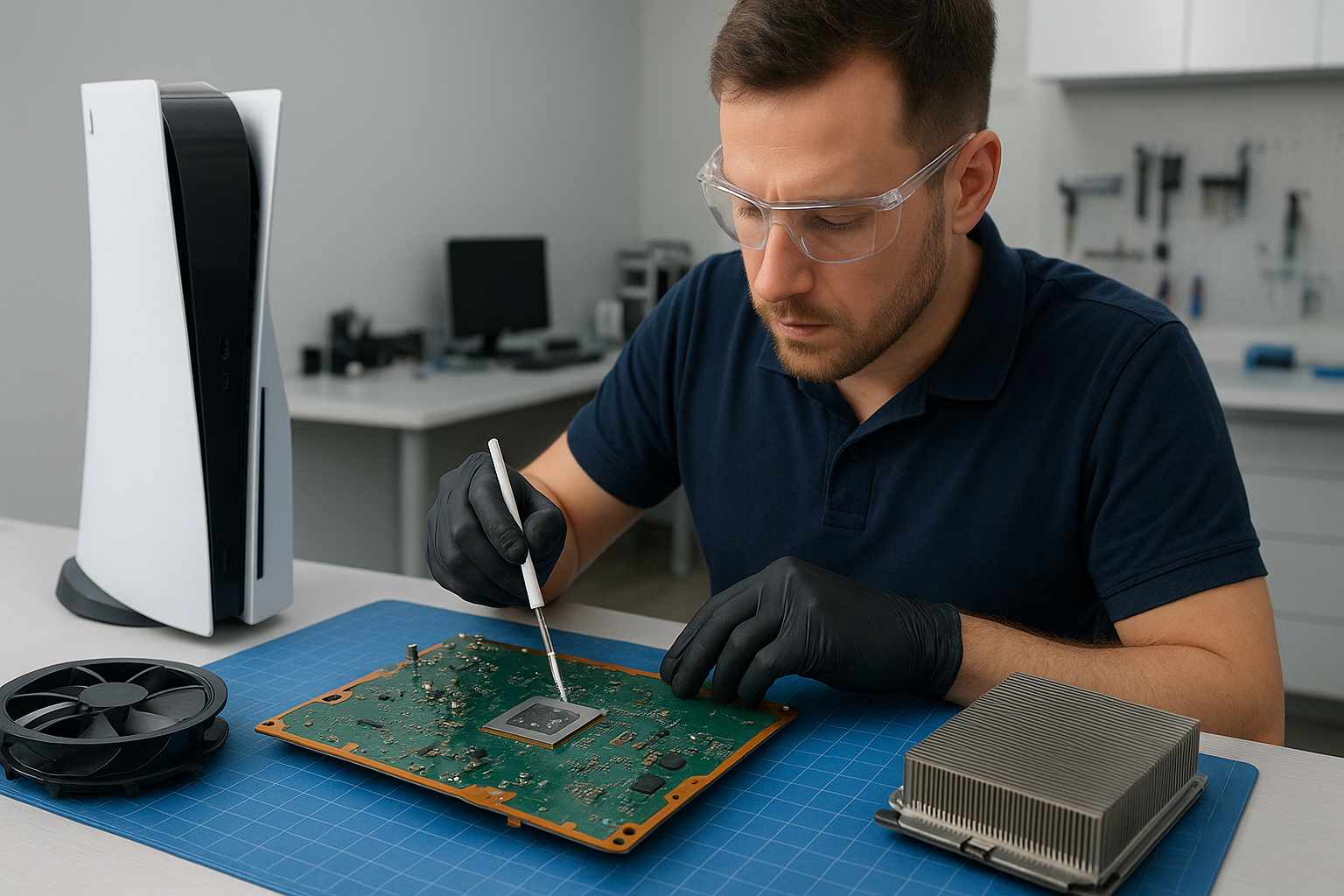
PS5 cleaning service Coquitlam
Professional Console Repair and Maintenance
At Moe Repair in Coquitlam we specialize in console maintenance and repairs focused on thermal management, noise reduction and performance stabilization. For more than 15 years our experienced technicians have been serving Coquitlam and neighbouring communities including Burnaby, Port Moody, Port Coquitlam, New Westminster and Maple Ridge. Whether you own a PS5, PS5 Slim, PS5 Pro, Xbox Series X or Xbox Series S, our PS5 cleaning service Coquitlam offers practical, long-lasting solutions for dust buildup, loud fan noise, overheating and random shutdowns.
PS5 Liquid Metal Replacement
One of the most effective upgrades we offer for persistent heat issues is professional PS5 liquid metal replacement. When applied correctly, liquid metal provides superior thermal conductivity between the SoC and the heat spreader, lowering junction temperatures and reducing fan duty cycles. Our technicians inspect the motherboard and surrounding components for exposed solder, protective barriers and any potential galvanic contact before applying a stable, high-quality liquid metal compound. We always use insulating adhesives where needed and test for conductivity and leakage risks. Liquid metal replacement is a performance-focused service often paired with thorough fan cleaning and dust removal to restore optimal thermal performance.
Console Cleaning and Dust Removal
Dust buildup inside a console is one of the most common causes of thermal and acoustic problems. Our PS5 cleaning service Coquitlam includes full disassembly, targeted dust removal from fans, heat sinks and air channels, and cleaning of intake/exhaust vents. We use anti-static brushes, compressed air and micro-vacuum extraction to remove particulate without pushing debris deeper into the system. We also clean fan blades and bearings, inspect fan motors for wear, and replace worn pads or lubricate moving parts when appropriate. Proper dust removal restores airflow and often reduces loud fan noise and overheating issues immediately.
Console Overheating Repair
Overheating can present as persistent high fan speeds, decreased performance, thermal throttling or random shutdowns. Our diagnostic process isolates the root cause: poor thermal interface, blocked airflow, failing fans, broken heat pipes, or firmware/board-level faults. For PS5 consoles we routinely check the cooling assembly, perform temperature benchmarking under load, inspect the vapor chamber or cooling block, and perform thermal imaging when necessary. Repairs range from fan cleaning and replacement to thermal paste or liquid metal rework and board-level repairs to address shorts or damaged sensor circuits.
Real Repair Example: A customer brought in a PS5 that had frequent shutdowns during long sessions and a fan that sounded like a jet. Our diagnostic steps were: visual inspection noted heavy dust between the intake shroud and fan; temperature logs showed rapid temperature rise under a 30-minute load; fan RPM sensors reported inconsistent values. We fully disassembled the unit, vacuumed and brushed out densely packed dust, removed the heat sink and inspected the thermal interface. The original thermal compound showed dry cracking; we cleaned the surfaces with isopropyl alcohol and replaced the interface with a premium liquid metal compound after applying a thin dielectric barrier at the screw points to prevent leakage. The fan bearings were cleaned and lubricated and the whole cooling assembly re-seated with correct torque values. After reassembly we performed a two-hour stress test. Peak temperatures dropped by 12°C, fan speeds stabilized and the console no longer experienced shutdowns. The customer picked up a quieter, cooler PS5 and reported improved frame-rate stability.
Signs Your Console Needs Service
- Loud, high-pitched or grinding fan noise
- Overheating during normal gameplay
- Random shutdowns or reboots
- Performance drops, frame rate stutter, or thermal throttling
- Visible dust at vents or poor airflow
If you notice any of the above in your PS5, PS5 Slim, PS5 Pro, Xbox Series X or Xbox Series S, bring it to Moe Repair in Coquitlam for a professional inspection. Many times simple cleaning and a fresh thermal interface will restore stability and extend the lifespan of your console.
Why Thermal Management Matters
Thermal management directly impacts longevity and performance. Excessive heat accelerates solder fatigue, warps plastic components, and stresses electronic components which can lead to random shutdowns and irreversible damage. Effective cooling — including clean fans, unobstructed airflow, correct thermal interface material and in some cases liquid metal replacement — reduces operating temperatures, lowers fan noise and prevents heat-related performance issues. As part of our PS5 cleaning service Coquitlam we focus on precise reassembly and thermal validation testing so the console performs reliably under extended use.
Gaming Consoles We Service
We repair and maintain a wide range of modern consoles with thermal and mechanical service options:
- PS5, PS5 Slim, PS5 Pro
- Xbox Series X, Xbox Series S
Our experience with these platforms allows us to offer platform-specific cooling strategies, whether it’s adjusting shroud tolerances, replacing worn fans, or recommending performance-safe liquid metal upgrades for high-use systems.
Why Choose Moe Repair
Moe Repair has provided reliable, transparent console repairs in Coquitlam for over 15 years. Our technicians are certified, experienced with delicate operations like liquid metal application, and focused on delivering a measurable improvement rather than temporary fixes. We document diagnostics, provide cost estimates upfront and test every console under real-world load conditions before returning it. Local gamers from Burnaby, Port Moody, Port Coquitlam, New Westminster and Maple Ridge trust us for honest service and clear communication. For other device needs, we also provide computer repair in Coquitlam, laptop repair in Coquitlam and MacBook repair in Coquitlam.
Frequently Asked Questions
How often should I have my PS5 cleaned?
We recommend a professional cleaning every 12-18 months for average household use, or sooner if your home is dusty, you have pets, or you entertain heavy daily gaming sessions. Frequent maintenance can prevent overheating and prolong console life.
Is liquid metal replacement safe for my PS5?
When performed by experienced technicians and with proper preparation (insulating gaps, using non-corrosive formulations and correct application), liquid metal replacement is safe and effective. Moe Repair follows conservative practices to minimize risk and tests thoroughly after application.
My PS5 fan is loud even after cleaning. What next?
If loud noise persists after cleaning, we inspect for worn bearings, unbalanced blades, failing motors, and any obstruction in the airflow path. Fan replacement or additional balancing and lubrication are common next steps.
Can you service consoles that still have warranty?
Some manufacturers may void warranty for third-party repairs or modifications like liquid metal. We will advise you on warranty implications before performing any work and can provide diagnostic-only services if you prefer to contact the manufacturer first.
How long will repairs take?
Typical cleaning and basic repairs can be completed within 24-72 hours depending on parts availability and workload. More complex services like liquid metal replacement or board-level repairs may take longer; we provide realistic timelines when you contact Moe Repair.
Contact Moe Repair Today
Moe Repair
778-951-4872
If you’re in Coquitlam, Burnaby, Port Moody, Port Coquitlam, New Westminster or Maple Ridge and your PS5 is showing signs of dust buildup, overheating, loud fan noise or random shutdowns, call or email us to schedule an inspection. For quick questions or to book an appointment use our contact Moe Repair page and check our other services like computer repair in Coquitlam, laptop repair in Coquitlam and MacBook repair in Coquitlam. We’re here to keep your console cool, quiet and gaming-ready.