
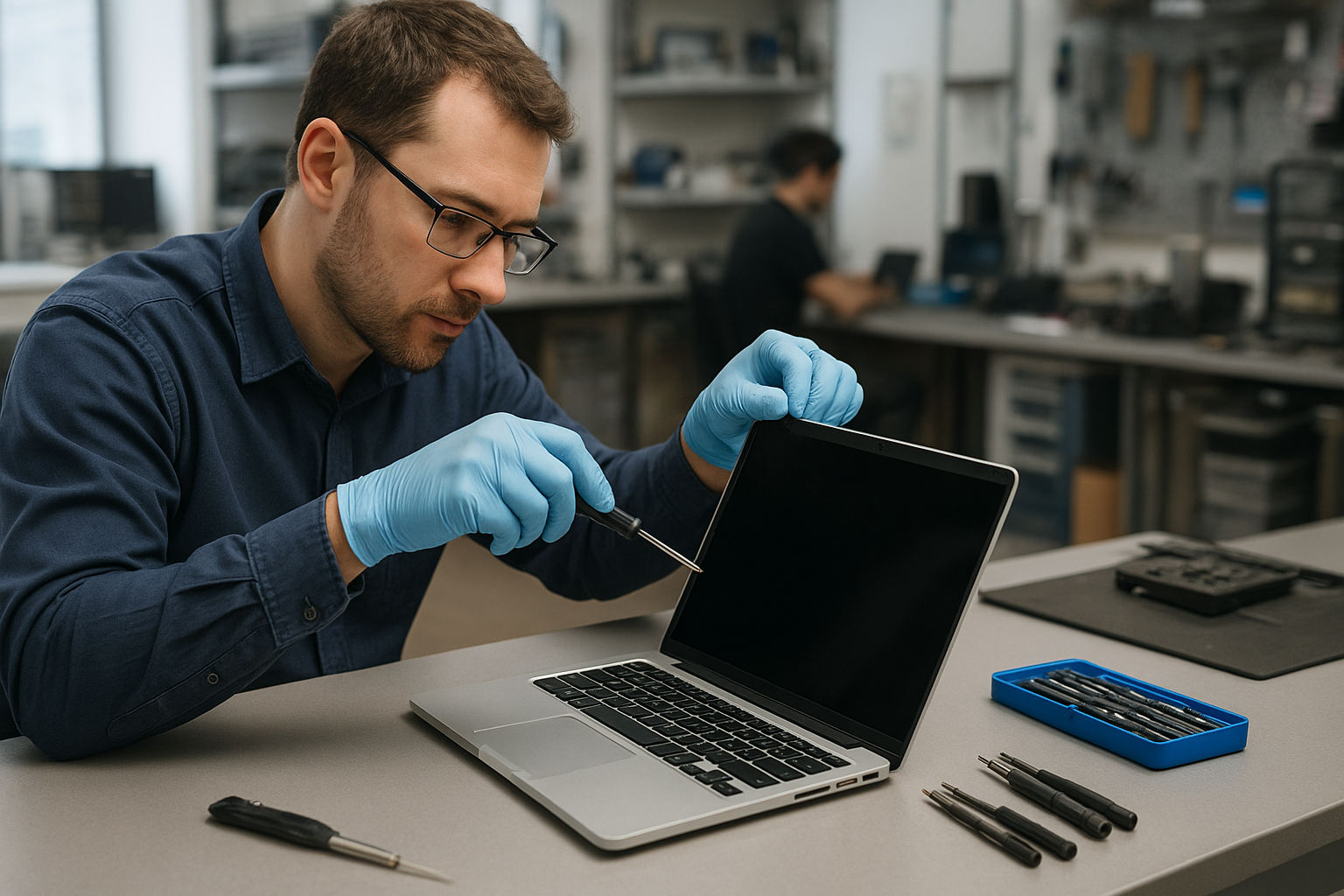
MacBook Pro screen replacement Coquitlam
If your MacBook Pro screen has a crack, vertical lines, or a black spot, a MacBook Pro screen replacement Coquitlam technician at Moe Repair can diagnose and repair it quickly. I have over 15 years fixing MacBooks and other laptops, and I write this guide to explain symptoms, the diagnostic process, and realistic repair outcomes so you know what to expect.
Common symptoms that point to a screen problem
You might see a hairline crack, shattered glass, dead pixels, a dim or flickering display, or a screen that stays black while the machine still boots. Sometimes a MacBook Pro shows artifacts or lines after a drop. Other times the display is fine but the backlight is out. These are all reasons to look for a MacBook Pro screen replacement Coquitlam specialist rather than trying DIY fixes.
How we diagnose a faulty MacBook Pro screen
Diagnosis starts with a visual and functional check. I inspect the case and hinges, then connect the MacBook to an external display to determine if the GPU and logic board are functioning. If the external monitor is normal, the issue is almost always the display assembly, the LCD, backlight, or the display cable. I also check for liquid residues and run a battery and thermal health check to rule out related faults.
Tools and steps for a safe screen replacement
Screen replacements require specialty tools and ESD-safe procedures. Typical steps I follow:
- Power down and disconnect the battery before opening the chassis.
- Remove the display assembly carefully, disconnect display and camera cables.
- Replace the Retina LCD and digitizer assembly or full display assembly depending on model.
- Inspect the display cable, hinge covers, and backlight connectors; replace if worn.
- Reattach the display, reconnect the battery, then boot and run a color and brightness calibration test.
We use OEM or high-quality compatible display assemblies depending on availability for MacBook Air and MacBook Pro models including 13-inch, 15-inch, and 16-inch Touch Bar variants.
Realistic repair times and parts
Most display-only replacements take 1 to 3 hours in-shop when parts are in stock. If the glass is fused to the LCD in newer Retina models, the full display assembly replacement is often the safest route. If corrosion or motherboard damage is present after liquid exposure, repairs can take longer. For quick quotes and parts checks see our MacBook repair page or call ahead.
Repair example from a local customer
A customer from Port Moody brought a 2019 13-inch MacBook Pro with a large crack across the lower-right corner and intermittent backlight. I first connected an external monitor: external video was clean, confirming the logic board and GPU were OK. I removed the display assembly, found a fractured LCD and a pinched display cable at the hinge. After ordering an OEM-style display assembly, I replaced the assembly, swapped the hinge cable, and tested the camera and microphone. Post-repair the screen calibrated correctly, Wi-Fi and Bluetooth worked, and the customer left satisfied. No data loss occurred, but I always advise a backup before major repairs; see our data recovery page for options when data is at risk.
When we recommend a full assembly vs LCD-only replacement
On some Retina MacBook Pros the glass, digitizer, and LCD are fused. If the glass is fractured and the LCD is damaged, a full assembly gives better warranty and improved longevity. If just the LCD is damaged and the glass is intact, an LCD swap can save money. I inspect hinges, camera, and microphone during diagnostics so you get an honest recommendation. For related services we also handle laptop repair in Coquitlam tasks like battery replacement, keyboard replacement, and thermal paste replacement that often coincide with display work.
Costs, warranty, and parts sourcing in Coquitlam
Cost depends on model and part quality. We offer transparent pricing and a parts-and-labor warranty. We source genuine and high-quality compatible parts and explain trade-offs up front. If your MacBook has sensitive data, we follow safe handling and can advise on computer repair in Coquitlam protocols to keep data secure.
Practical advice to protect your display
Use a protective sleeve, avoid over-closing the lid with objects inside, and replace rubber feet if the MacBook wobbles. If your machine suffered liquid exposure, power it down and bring it in; drying alone rarely prevents corrosion-related display failures. For proactive upgrades, consider SSD upgrades or a battery replacement while the machine is in the shop to save on future downtime.
Contact Moe Repair Today
If your MacBook Pro needs a screen replacement in Coquitlam or nearby, call Moe Repair for a free consultation. We can often book same-day drop-off or in-shop service and we cover Port Moody, Port Coquitlam, Burnaby, and Vancouver. Reach Moe Repair at 778-951-4872 or email service@moerepair.ca. Our technicians will explain diagnostics, parts options, and estimated turnaround so you can decide with full information.
Frequently asked questions
Below are common questions local customers ask about a MacBook Pro screen replacement Coquitlam.
How long will my MacBook be in the shop?
Turnaround is usually 1 to 3 business hours for standard display assemblies. If we must order parts the timeline depends on availability; we will provide an ETA during your free consult.
Can a cracked glass be repaired without replacing the LCD?
Sometimes. If the glass is separate from the LCD on older models, a glass-only repair may work. Newer Retina assemblies often require a full display swap for reliability.
Will I lose data during a screen replacement?
Screen replacement itself does not require erasing your drive. However, we recommend a current backup before major repairs and can assist with drive cloning or data recovery if needed.
Do you offer warranty on the repair?
Yes. Repairs include a parts-and-labor warranty. Warranty duration depends on the part supplier and the type of repair; we explain this before starting work.
Can you fix liquid damage and replace the screen at the same time?
Yes. If we find corrosion we isolate and evaluate the logic board and connectors first. Sometimes we recommend motherboard repair or cleaning before fitting a new display.
Moe Repair is ready to help with screen replacement, trackpad and keyboard repair, SSD upgrades, and motherboard diagnostics. Call 778-951-4872 or contact Moe Repair to book a free consultation and diagnostic appointment.
Contact details: Moe Repair, Phone: 778-951-4872, Email: service@moerepair.ca.