
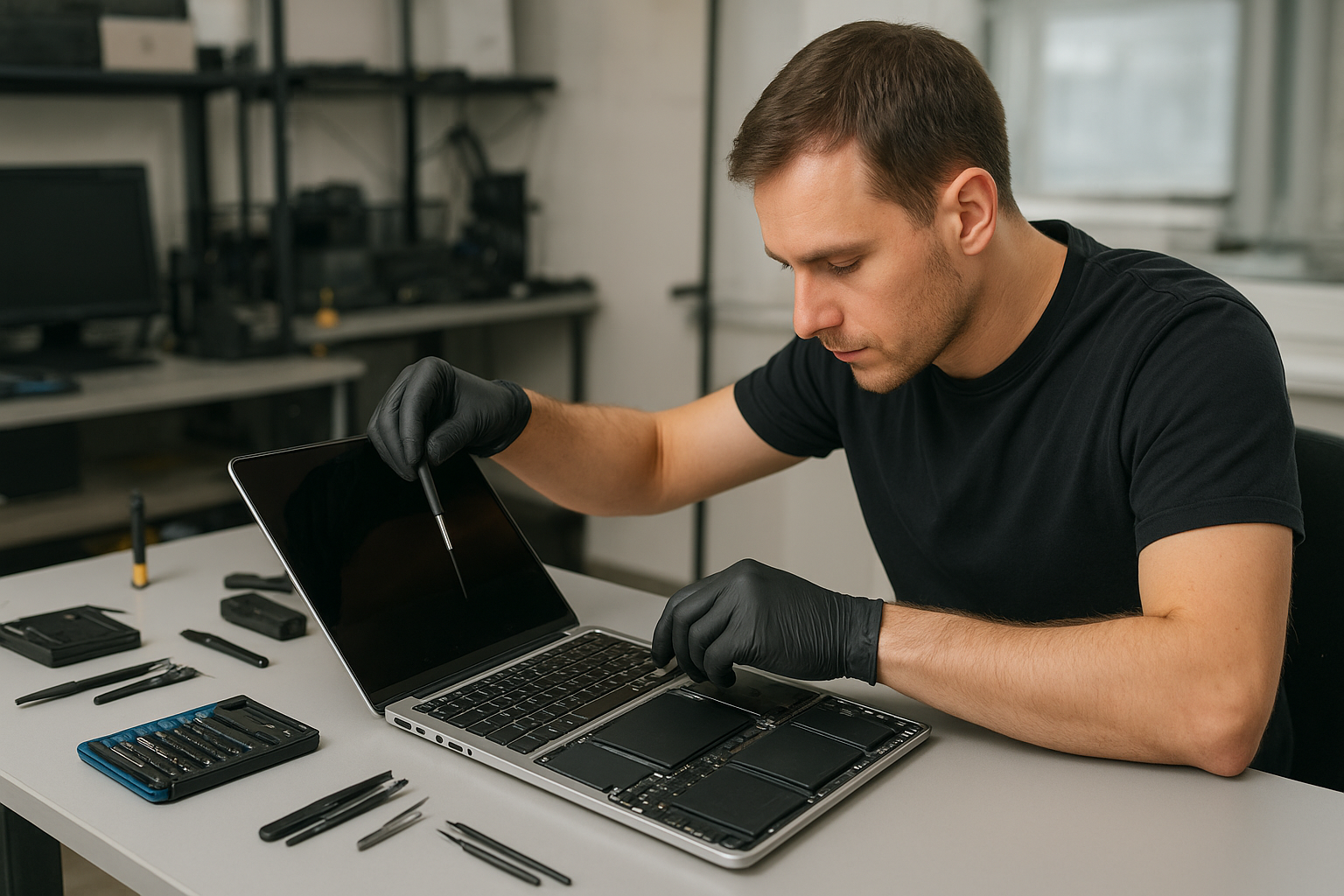
MacBook Pro Screen Repair Coquitlam
If your MacBook Pro display is cracked, flickering, showing black spots or no image at all, Moe Repair provides professional MacBook Pro screen repair Coquitlam residents trust. We diagnose the problem, explain your options in plain language, and recommend the safest, most cost-effective path to get your laptop back to reliable use.
Problem overview
Screen issues can look very similar to users but have very different causes. A hairline crack, a backlight problem, a detached display cable or logic board damage might all produce a black screen. Experienced technicians separate cosmetic damage from functional failures so you get the right repair, not an unnecessary replacement.
Common symptoms
- Visible crack or shattered glass on the display
- Lines, dead pixels or coloured spots on the screen
- Flickering or intermittent image
- No image while the MacBook powers on (but sounds or lights may work)
- Dim or uneven brightness indicating backlight failure
- Image only appears when external monitor is connected
Common causes we see at Moe Repair
One common issue we regularly see at Moe Repair is accidental drops or pressure applied to the lid, which cause glass fractures or internal display delamination. Another frequent cause is worn display cables or loosened connectors from repeated opening and closing. Liquid spills also create unusual patterns: sometimes only the backlight fails, other times the logic board is affected and the symptoms look like a screen failure.
How professionals diagnose your MacBook Pro screen problem
Our diagnostic process is methodical and transparent. We always start with a visual inspection of the case, hinge and display for obvious physical damage. Then we boot the MacBook and test with an external monitor to determine whether the GPU and logic board are producing an image.
Next we check brightness and backlight by shining a flashlight at an angle to the display. That helps us tell if the panel is producing light but the backlight circuit has failed. We inspect display connectors, the LVDS or eDP cable, and the hinge area for cable wear. When needed we open the laptop to test the display assembly on a bench with known-good connectors.
We document findings and explain what we can repair in-house and what requires replacement of components. All diagnostics are performed by certified technicians and communicated in straightforward terms so you can make an informed decision.
Repair options
- Glass-only replacement — possible on some older models where the glass separates from the LCD. Not always recommended because separation can introduce dust or adhesive issues.
- Full display assembly replacement — replaces the entire top lid including glass, LCD, and bezel. This is the safest option for many MacBook Pro models.
- Backlight or inverter repair — useful when brightness fails but the image is otherwise visible under a strong light.
- Display cable reseating or replacement — if the image cuts in and out or changes with lid position, the cable can be the culprit.
- Logic board evaluation — if an external monitor works but the internal display does not, the issue could be on the board. We diagnose and advise on board repair vs replacement.
Advantages of repair versus replacement
Repairing only the faulty component can save money and preserve original parts when possible. A targeted repair like replacing the display cable or backlight can be quicker and less invasive than swapping the whole assembly. At Moe Repair we recommend the least invasive option that restores reliable operation and maintains device integrity.
When replacement makes more sense
Full display assembly replacement makes sense when the glass is shattered, the LCD is cracked, or adhesive and delamination make glass-only repairs unreliable. Replacement is also the right choice if the hinge chassis is bent or the entire lid is warped, since these structural issues affect screen alignment and long-term reliability.
What we do during the repair process
We follow a consistent, careful workflow. After you approve a repair option, we back up important data if requested and disconnect the battery before working on the display. We use ESD-safe tools, document each step with photos when necessary, and test at multiple stages: bench testing the assembly, connecting back to the logic board, and running a final quality check in macOS.
We never cut corners. All replacements are installed using proper adhesives and torque settings for hinge screws. If there are related issues such as a damaged hinge, evidence of liquid exposure or a failing battery, we’ll point those out and give repair recommendations so you avoid repeat visits.
Preventative maintenance and real technician advice
To reduce the risk of future screen damage, avoid carrying a MacBook in a bag without padding, do not place heavy objects on top of the laptop, and consider a thin screen protector to prevent glass scratches. Be mindful of liquids near your laptop; even small spills can corrode connectors over time.
When cleaning your screen, use a soft microfibre cloth and a lightly dampened solution approved for displays. Never spray cleaner directly on the screen and avoid applying strong pressure to the glass.
Common customer mistakes and what to avoid
- Attempting glass-only fixes at home and trapping dust under the panel.
- Using non-approved adhesives or cheap replacement parts that fail quickly.
- Continuing to power on a device with liquid damage without a proper inspection—this can cause additional board damage.
- Assuming a cracked screen is only cosmetic; underlying LCD or backlight circuits are often affected.
How we decide whether repair is worthwhile
We evaluate the age of the MacBook Pro, extent of damage, parts availability and the cost of repair versus replacement. For some older models, upgrading storage or replacing the battery along with the screen can extend usable life and provide better value than buying a new machine. Our technicians explain these trade-offs and give a clear recommendation.
Estimated repair process
While exact turnaround varies by model and parts availability, a typical repair follows these steps: intake and written consent, diagnostic inspection, parts ordering if needed, component installation, testing, and final quality control. We keep you informed at every step and document the work performed.
Why choose Moe Repair in Coquitlam and Metro Vancouver
Moe Repair has 20 years of hands-on experience with laptop repair and MacBook service. We serve customers throughout Metro Vancouver including Burnaby, Vancouver, Surrey, Port Moody, Port Coquitlam, New Westminster, Maple Ridge and Richmond. Our technicians combine practical experience with clear communication so you understand what was fixed and why.
Related services we offer
- MacBook Repair and laptop screen repair
- Battery replacement and hinge repair
- SSD upgrade and data recovery
- Motherboard repair and charging port repair
- Liquid damage repair and macOS repair
Frequently Asked Questions
Below are common questions we get from Coquitlam customers about MacBook screens.
- Q: Can a cracked MacBook Pro screen be repaired without replacing the entire assembly?
A: Sometimes. Older models or specific damage patterns allow glass-only repair, but many MacBook Pro models are sealed assemblies where full display replacement is the more reliable option. - Q: Will I lose my data when you repair the screen?
A: Screen repair itself does not erase data. If you want, we can back up your data before work. If there is suspected liquid or logic board damage we recommend backing up as soon as possible. - Q: My MacBook shows lines but works with an external monitor. Is that a screen issue?
A: Lines usually indicate a damaged panel or display cable. If an external monitor works, the GPU and logic board are likely fine, focusing the repair on the display assembly or cable. - Q: Do you use original Apple parts?
A: Parts availability varies by model. We discuss options and source high-quality parts that match Apple’s specifications when possible. We avoid using substandard parts that cause repeat failures. - Q: What should I bring when I drop off my MacBook?
A: Bring your MacBook with its charger and a description of the problem. If you can, bring proof of ownership. If you have a backup, please note that as well. - Q: Can liquid damage show up as a screen problem later?
A: Yes. Corrosion can develop over time and affect connectors, the backlight or the logic board. We inspect for signs of liquid exposure during diagnosis. - Q: Is it worth repairing an older MacBook Pro screen?
A: It depends on the model and your needs. If the device otherwise meets your performance needs, a screen repair combined with an SSD upgrade or battery replacement can extend useful life and save you money. - Q: Do you offer warranty on screen repairs?
A: We provide clear post-repair support details at the time of service. We explain what is covered and recommend best practices to protect your device after repair.
Conclusion
If you need MacBook Pro Screen Repair Coquitlam residents rely on Moe Repair for clear diagnostics, honest advice, and skilled workmanship. We handle display replacement, backlight fixes, cable repairs and related services with attention to detail and customer communication. Contact us to schedule a diagnostic or drop-off and we will walk you through options and next steps.
Contact Moe Repair
Phone: 778-951-4872
Email: service@moerepair.ca
Website: https://moerepair.net