
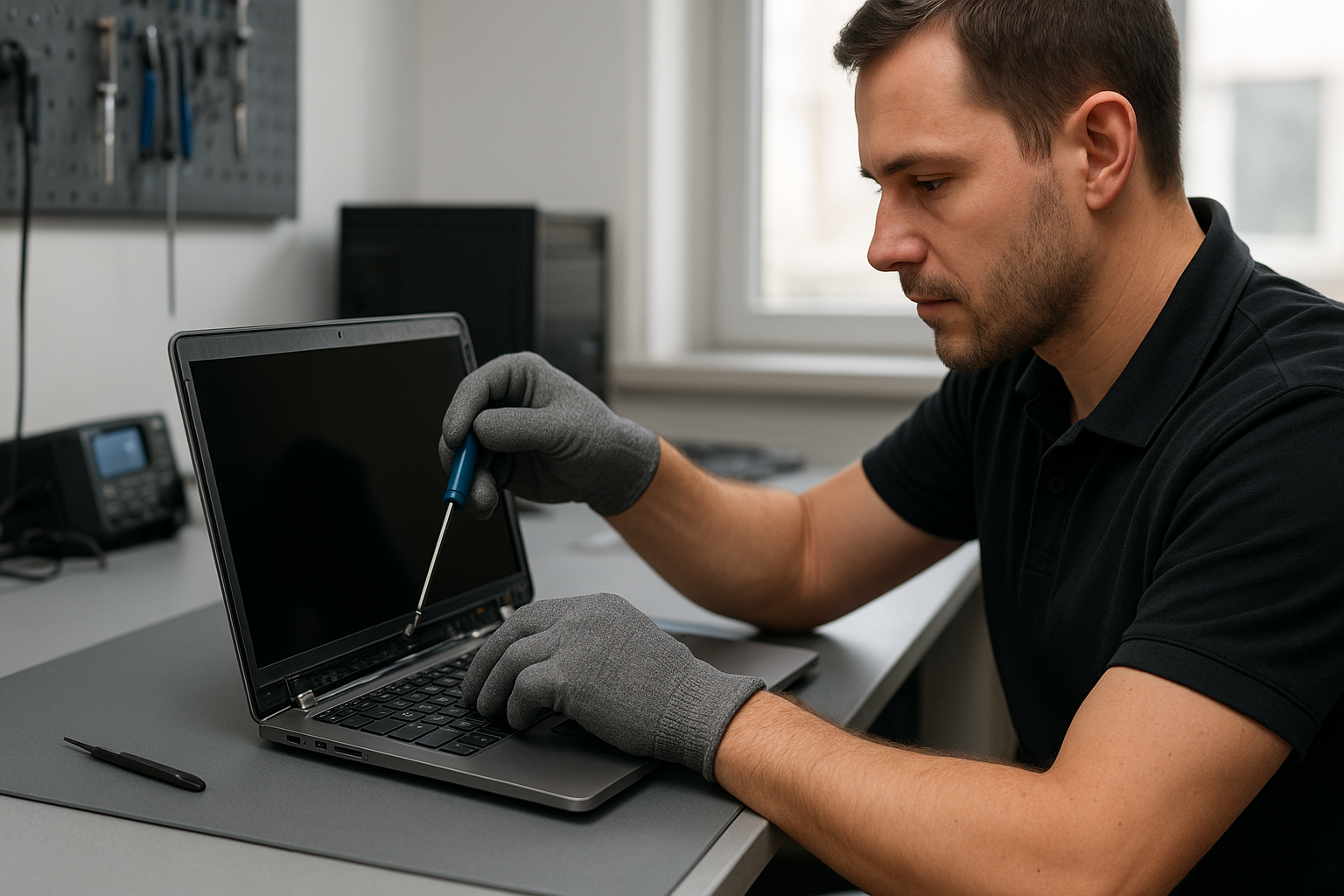
Laptop screen replacement Coquitlam: Fast Local Screen Repair
If you see visible cracks, vertical lines, or a black area on your display, Laptop screen replacement Coquitlam from Moe Repair is a practical option. I inspect symptoms, diagnose the root cause, and explain repair choices in straightforward language so you can decide with confidence.
Laptop screen replacement Coquitlam: Common signs
Typical symptoms we see in Coquitlam include: a cracked glass surface, flickering backlight, full or partial black screen, colored vertical stripes, unresponsive touch on touchscreens, and backlight bleed. Sometimes the screen image is intact but extremely dim, which points to backlight or inverter problems on older models.
What causes screen damage
Damage often comes from drops, pressure, hinge stress, or liquid spills. Manufacturing defects or panel connector issues can cause flicker or intermittent image loss. I work on many models here in Coquitlam, from MacBook Air and MacBook Pro to Dell XPS, Inspiron, Lenovo ThinkPad, HP Pavilion, and gaming laptops like ASUS ROG and Acer Predator.
Realistic diagnostic process
My diagnostic routine is methodical and focused. I start with a visual inspection of the bezel, hinges, and glass. Then I connect the laptop to an external monitor to confirm whether the GPU or motherboard outputs a valid signal. If the external image is good, the issue is limited to the screen assembly, LVDS/eDP cable, or backlight circuit.
For older models with inverters I measure backlight voltage and test the inverter. For modern LED panels I check the eDP cable for continuity and pin damage. I also test the display with a known-good panel when available to isolate the fault. Diagnostics are documented and shared before I start any work.
Repair procedures I use
Common repairs include panel replacement, glass/digitizer replacement on touchscreens, cable reseating or replacement, hinge repair, and backlight/inverter replacement for legacy models. I only use quality OEM or equivalent panels and test the new assembly under load. For MacBook models I follow Apple-recommended torque and adhesive procedures to preserve structural integrity.
- Remove bezel and test cable connections
- Replace cracked LCD or digitizer as needed
- Repair or replace hinges and metal brackets
- Reinstall and test for color accuracy, backlight uniformity, and touch function
Parts, pricing, and turnaround
Prices vary by model and whether you need a full assembly or just the LCD panel. Typical turnaround in Coquitlam is same-day to two business days for common models when parts are in stock. For MacBook Pro retina displays and some gaming laptops sourcing can take longer. I always give an upfront estimate and get your approval before ordering parts.
Practical customer advice
If the laptop still powers on, back up critical files before repair. If you cannot access the screen, we can perform data recovery in Coquitlam or attach the drive to another system. If you have display glitches after a drop, do not flex the lid or apply pressure. Bring your charger so I can test power rails and rule out battery or adapter issues.
For other problems discovered during service we often combine repairs, such as a screen replacement with a laptop repair in Coquitlam for hinge or keyboard issues, or an SSD upgrade at the same time to improve performance.
Real repair example
A recent customer from Port Moody brought in a Lenovo ThinkPad with a spiderweb crack across the left side of the screen and intermittent horizontal lines. I confirmed the GPU output with an external monitor, then removed the bezel and found the eDP cable lightly pinched at the hinge plus a cracked LCD. I discussed options, replaced the LCD panel and the damaged cable, tightened the hinge mounts, and tested color and touchscreen calibration. The laptop left the shop with stable video, intact touch response, and a properly aligned bezel. The customer was informed about possible hinge stress causes and options to prevent recurrence.
When screen replacement may not be the best option
If the motherboard is damaged, the cost of screen replacement alone might not make sense. After external monitor tests and power rail checks I can advise whether a full motherboard repair, replacement, or data recovery is the better route. We provide honest recommendations for computer repair in Coquitlam and can quote on related services like battery replacement, thermal paste replacement, or motherboard repair.
Related services we offer
We handle MacBook repair, liquid damage repair, keyboard replacement, trackpad repair, fan replacement, virus removal, Windows installation, SSD upgrades, and more. If you need help with connectivity or settings after a screen swap we also offer Wi-Fi troubleshooting and printer setup.
Contact Moe Repair Today
Moe Repair handles Laptop screen replacement Coquitlam and nearby areas with clear pricing and prompt service. For a free consultation call 778-951-4872 or email service@moerepair.ca. We serve Coquitlam, Burnaby, Port Moody, Port Coquitlam, and New Westminster. If you prefer, start with our online form at contact Moe Repair and I will follow up with a diagnostic plan and estimate. We accept walk-ins when possible and book same-day appointments for urgent screen failures.
FAQs
The most common questions are answered below, but you can always ask about MacBook repair in Coquitlam or call us for specifics.
Frequently Asked Questions
Q: How long does a screen replacement take?
A: Most common models are repaired same-day to two days depending on parts availability. Retina and rare gaming panels may take longer to source.
Q: Will my files be safe during a screen replacement?
A: Replacing a screen does not affect your drive, but I always recommend backing up important files before any repair. If you cannot access the screen, we offer data recovery in Coquitlam and secure transfer options.
Q: Do you use OEM parts?
A: We use OEM panels when available and high-quality equivalents when OEM is not obtainable. I test every panel before reassembly for color and backlight performance.
Q: How do I prevent future screen damage?
A: Use a padded sleeve, avoid carrying the laptop by the screen, and keep liquids away. If the hinge is loose address it promptly—hinge failure can cut display cables.
For more questions or to book an inspection call Moe Repair at 778-951-4872 or email service@moerepair.ca.