
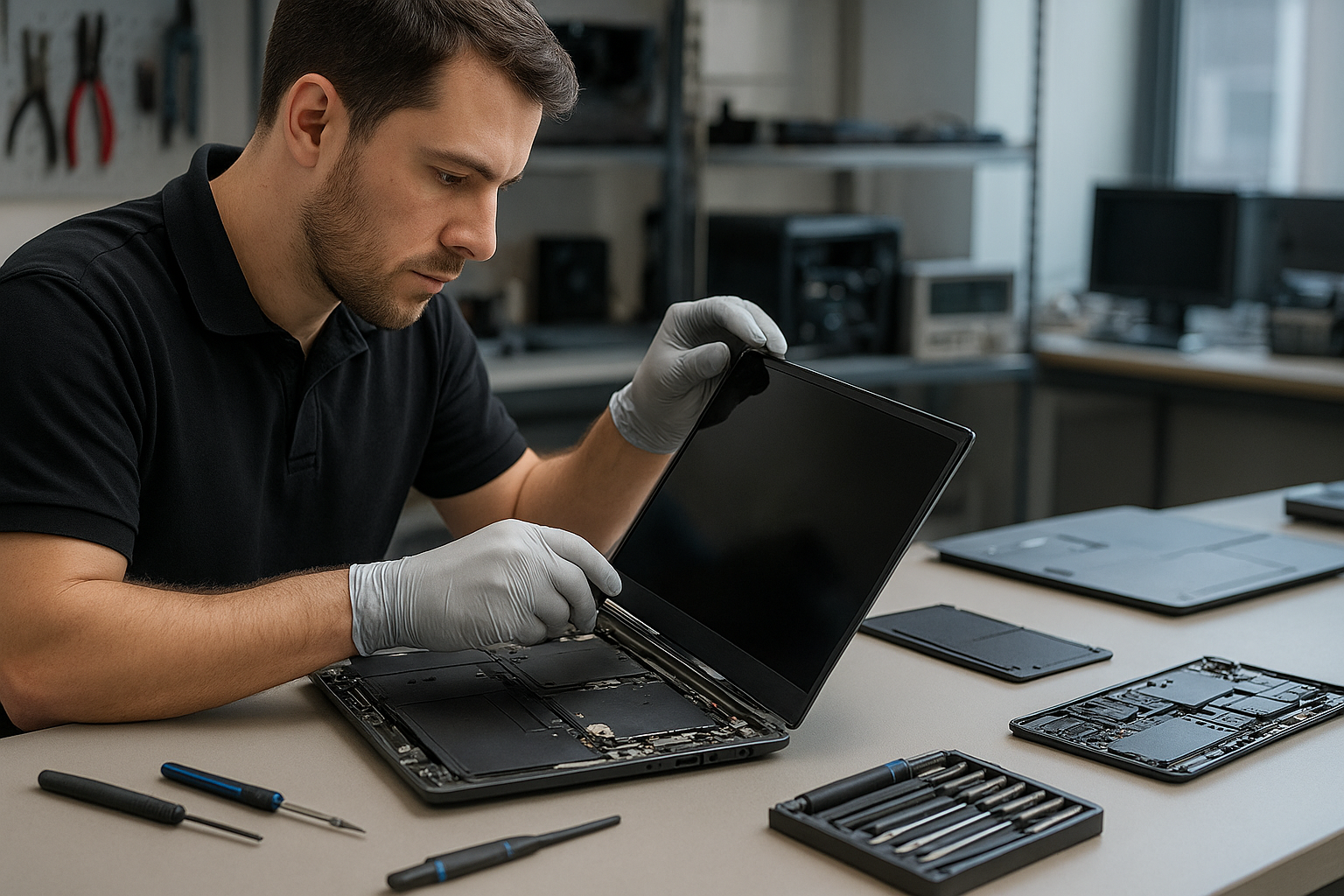
Laptop screen replacement Coquitlam: Fast, local repairs by Moe Repair
If your laptop shows cracks, black spots, or a flickering image, Laptop screen replacement Coquitlam specialists at Moe Repair can diagnose and repair most displays the same day. I am a senior technician with 15 years of hands-on experience repairing screens on MacBook, Dell, HP, Lenovo, ASUS, and Surface devices across Coquitlam, Burnaby, and Port Moody.
Why choose Laptop screen replacement Coquitlam with Moe Repair
We focus on accurate diagnostics and quality parts. I test the panel, inverter or backlight, display cable, and the GPU output before replacing a screen. That prevents unnecessary part swaps and saves time. Customers who need broader service can combine screen replacement with laptop repair in Coquitlam or request an SSD upgrade and battery replacement while we have the unit open.
Common symptoms that mean you need a replacement
- Visible cracks or spiderweb glass from drops or pressure.
- Vertical or horizontal lines, often from a damaged LCD matrix.
- Black areas or white blotches indicating panel failure.
- Backlight failure causing a dark screen with faint image.
- Flickering or intermittent image from a loose display cable or failing panel.
- Touchscreen unresponsive after impact on compatible models.
How we diagnose a faulty laptop screen
The diagnostic starts with reproducing the symptom. I connect the laptop to an external monitor to determine if the GPU and motherboard output video. If the external monitor works, the issue is almost always the display assembly or cable. If the external monitor also fails, I test power rails and the display connector on the motherboard, and perform basic motherboard testing used in computer repair in Coquitlam.
Tools and tests I use
- External monitor test to isolate the panel from the GPU.
- Multimeter checks on display power rails and LVDS/eDP connector pins.
- Temporary panel swap when a compatible donor panel is available.
- Visual inspection for hinge damage or liquid residue that can affect the screen.
The replacement process step by step
Once we agree on the repair, the workflow is practical and transparent. I back up or recommend a backup, remove the bezel and hinges, disconnect the display cable, and replace the glass and LCD assembly if required. After installation I reflow connectors, apply thermal and anti-static precautions, and run a 30-minute burn test to confirm stability. If the issue was related to a loose cable or hinge damage, I address that too to prevent recurrence.
Parts, models and brand considerations
Not all panels are the same. For MacBook Air and MacBook Pro Retina models we stock OEM and high-quality aftermarket Retina panels. For Dell XPS, Inspiron, and Alienware, or Lenovo ThinkPad and Legion, I match the resolution and connector type. Surface devices often require glass-and-display bonded assemblies which take more time and careful handling. If repair is not feasible, we explain options including data recovery in Coquitlam when internal components need work.
Typical cost and turnaround time in Coquitlam
Screen costs vary by model. Standard 14 to 15.6-inch panels for mainstream brands are usually quicker and less expensive. Retina, touch, and 4K panels cost more. Turnaround is often same day or 24-48 hours depending on parts availability. I provide an itemized estimate before work and discuss alternatives like external display solutions if a replacement is impractical.
A realistic repair example from nearby Port Coquitlam
A customer from Port Coquitlam brought in an HP Pavilion with a shattered top-left corner and vertical colored lines across the screen. I performed an external monitor test: external output was clean. I inspected the hinge area and found the display cable pin had torn slightly from a previous repair. After sourcing a matching HP panel, I replaced the assembly, repaired the cable anchor, and tightened the hinge. Post-repair the display showed full brightness with no lines. I discussed options and performed a free Wi-Fi and battery check before returning the laptop.
Additional repairs we commonly perform
During a screen job many customers also request battery replacement, keyboard replacement, trackpad repair, fan replacement, thermal paste replacement, or an OS reinstall. For gamers we handle GPU-related issues and gaming PC repair. If your laptop shows blue screen errors or boot failures after a drop, our motherboard repair and operating system repair services work together to restore function.
FAQ
Below are answers to common customer questions about Laptop screen replacement Coquitlam.
Q: How long will my laptop be at Moe Repair?
A: Most standard replacements finish same day; bonded Retina or Surface assemblies may take 24-48 hours depending on parts.
Q: Can you fix a flicker without replacing the screen?
A: Sometimes a loose cable or bad inverter causes flicker. We diagnose first and replace the screen only when necessary.
Q: Do you use OEM panels?
A: We stock OEM where available and high-quality equivalents for discontinued or hard-to-find panels; I will explain differences and warranties.
Q: Will my data be safe during a screen repair?
A: We treat customer data seriously. We recommend a backup; if you cannot, we take basic precautions. For sensitive cases we offer data recovery in Coquitlam services.
Contact Moe Repair Today
Moe Repair offers a free consultation and local service across Coquitlam, Burnaby, Port Moody, Port Coquitlam, and New Westminster. Call us at 778-951-4872 or email service@moerepair.ca to describe your laptop issue and book a same-day diagnostic. We provide clear estimates, possible timelines, and options like combining screen replacement with battery replacement or an SSD upgrade to get your machine running better after the repair.
How to prepare your laptop before bringing it in
Shut down the laptop and bring the charger. If possible, sign out of accounts and remove passwords to speed testing. If you cannot remove a password, we will discuss options. You can read about other services like MacBook repair in Coquitlam and laptop repair in Coquitlam on our site.
For a quick diagnostic or to ask about parts for your specific model such as Dell XPS, HP Envy, Lenovo ThinkPad, or Microsoft Surface, contact Moe Repair at 778-951-4872 or email service@moerepair.ca. We inspect each case and recommend practical repairs rather than unnecessary replacements.