
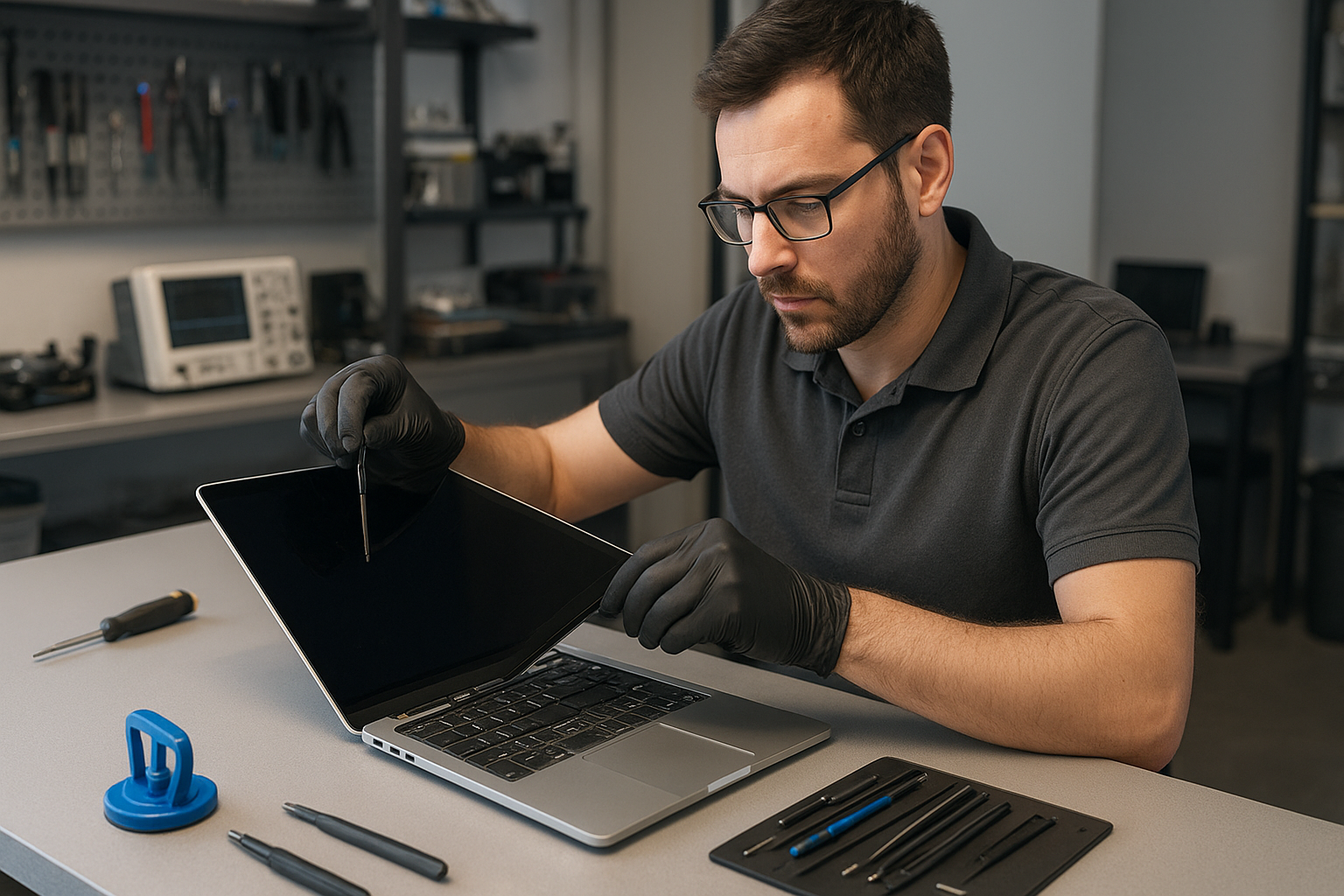
MacBook Pro screen replacement Coquitlam: Expert same-day service
If you need MacBook Pro screen replacement Coquitlam, you want clear answers fast. I’m a senior technician with over 15 years repairing MacBooks and other laptops. In this article I explain symptoms, diagnostic steps, repair procedures, and what to expect from a professional repair at Moe Repair in Coquitlam.
MacBook Pro screen replacement Coquitlam: What to expect
When customers book a screen repair we start with a visual inspection and a short history interview. Common signs that point to a screen issue include cracked glass, vertical or horizontal lines, black spots, backlight failure, and a completely blank display while the machine powers on. If you see flickering after a hinge movement, that often points to a torn display cable rather than the logic board.
Common Symptoms of a Failing MacBook Pro Screen
Symptoms I encounter most often in Coquitlam include:
- Cracked glass with intact image beneath the digitizer
- Lines or color bands across the display
- Dim or no backlight while system boots
- Intermittent image when screen angle changes
- Touch Bar display artifacts on applicable models
These symptoms help me decide between screen replacement, cable repair, or further motherboard testing. If you want a full system check while replacing a screen, we also handle MacBook repair in Coquitlam including battery replacement and trackpad repair.
How We Diagnose Screen Issues
My diagnosis workflow is practical and repeatable. First I confirm whether the GPU outputs an image by connecting an external monitor. If the external monitor shows a clean image, the issue is localized to the display assembly, cable, or hinge connector. If both displays fail, I inspect the logic board, power rails, and GPU traces.
Tools and tests I use
- External display test and SMC/NVRAM resets
- Visual inspection of the display flex cable and hinge area under magnification
- Multimeter checks on display power rails and LVDS/eDP data lines
- Replacement of the display assembly with a known-good unit to confirm fault
This diagnostic approach prevents unnecessary motherboard work and helps price the repair accurately. For laptop firmware or operating system issues I often combine a screen change with an OS check; for full system work see our computer repair in Coquitlam services.
Typical Repair Procedures and Parts
For modern MacBook Pro models we usually replace the entire display assembly. That includes the glass, LCD, and bezel preassembled for most models. For older models a separate LCD swap is possible. Typical steps I perform:
- Power down, isolate battery, and place on an ESD mat
- Remove bottom case and hinge covers using pentalobe and tri-point tools
- Disconnect battery and display data connector carefully
- Remove and replace the display assembly or LCD panel
- Reconnect, calibrate, test for dead pixels and backlight uniformity
- Run stress tests and external monitor checks before returning the machine
We source OEM-grade Retina panels and high-quality assemblies for MacBook Pro 13, 15, and 16 models. If your MacBook Pro also needs a battery replacement or SSD upgrades, we can perform those services at the same time to save you time.
Real Repair Example from a Coquitlam Customer
A recent customer in Port Moody brought a 2017 MacBook Pro with a cracked glass and vertical purple lines across the display. I asked about the history and learned the laptop had been dropped near the hinge. My first step was connecting an external monitor. The external output was clean, so I scoped the hinge area and found a partially torn display flex cable and a hairline crack in the panel’s internal connector.
I quoted a screen assembly replacement and explained options. After approval I replaced the full display assembly, re-routed the new cable with improved strain relief, recalibrated the display, and tested for 24 hours. The final tests showed normal color, no lines, and stable backlight. The customer left with their data intact and was referred to our data recovery in Coquitlam team for a separate backup query.
Signs a Full Motherboard Repair or Data Recovery is Needed
Sometimes the display issue masks deeper problems. If the external monitor shows artifacts, or if the machine fails to power consistently, I escalate to logic board inspection. We offer motherboard repair and component-level fixes when appropriate. If there is liquid damage or your MacBook will not boot, consider contacting us before attempting DIY repairs to minimize data loss. For data-focused cases, see our data recovery in Coquitlam page.
Preventive Advice and When Not To DIY
A few practical tips: power off a damaged MacBook, avoid pressing on cracked glass, and do not attempt to peel the display assembly if you do not have the correct tools. DIY screen swaps can damage the T2 security chip or the logic board if the battery is not isolated. For secure repairs, book an appointment with a trained technician. We also handle related services like virus removal, operating system repair, and thermal paste replacement during major repairs.
Frequently Asked Questions
How long does a MacBook Pro screen replacement take?
Turnaround depends on parts availability and model. Many repairs complete same-day if we have the panel in stock; otherwise 1-3 business days.
Will replacing the screen affect my data?
Screen replacement alone does not erase data. However, we recommend a backup before any major work. If you cannot boot, ask about our data recovery options.
Do you use OEM parts for MacBook displays?
We use OEM-grade and manufacturer-verified assemblies when available and clean-room procedures for delicate models. I explain part origins and warranty with every quote.
Can a cracked glass be replaced separately?
On some older non-Retina models yes. On most Retina and Touch Bar MacBook Pros the glass is bonded to the LCD and we replace the full assembly to ensure reliable results.
Contact Moe Repair Today
If you need MacBook Pro screen replacement Coquitlam, call Moe Repair for a free consultation. I will walk you through diagnostics, parts choices, and estimated turnaround. Moe Repair offers competitive pricing and local parts sourcing for Coquitlam and nearby areas like Port Moody and Burnaby. Call 778-951-4872 or email service@moerepair.ca to arrange a drop-off or same-day appointment. You can also use our online form at contact Moe Repair to describe the problem and attach photos.
Moe Repair
Phone: 778-951-4872
Email: service@moerepair.ca
We also provide laptop repair and related services including laptop repair in Coquitlam, SSD upgrades, motherboard repair, liquid damage repair, and printer setup.