
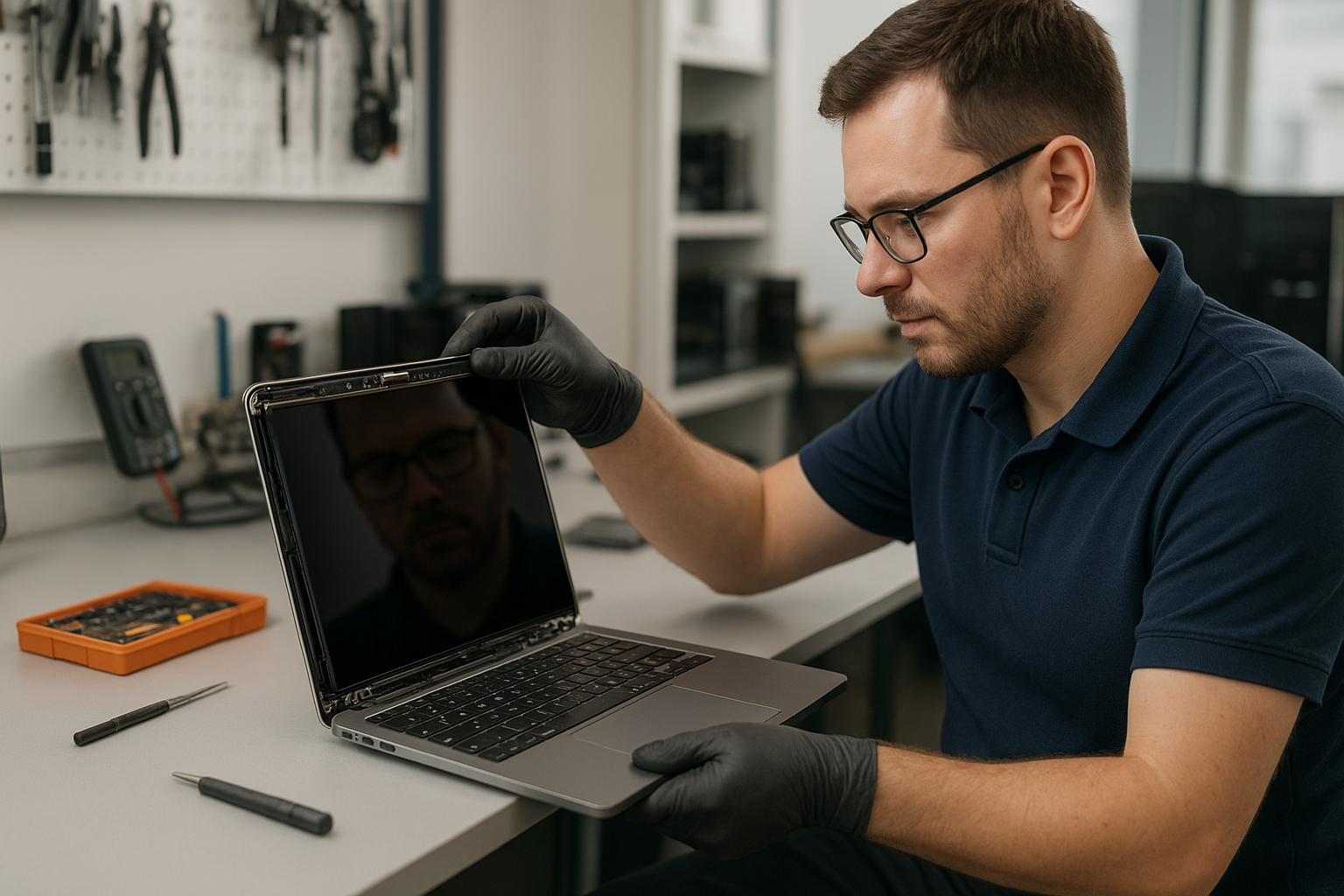
MacBook Pro screen replacement Coquitlam: Fast, local MacBook repair
If your MacBook Pro screen is cracked, flickering, or shows lines, a MacBook Pro screen replacement Coquitlam specialist can get you back to work quickly. I’m a senior technician at Moe Repair with more than 15 years of hands-on experience repairing MacBooks and laptops across Coquitlam and nearby cities like Burnaby and Port Moody. Read on for real diagnostic steps, repair procedures, and a recent repair example so you know what to expect.
Signs you need MacBook Pro screen replacement Coquitlam
Common symptoms include a shattered glass surface, vertical or horizontal lines, black or blank areas on the panel, backlight bleeding, and persistent flicker. Other signs are burned pixels, intermittent display after opening the lid, or a screen that works on an external monitor but not the laptop itself. If you see any of these, stop using the machine to avoid further damage.
How we diagnose MacBook Pro screen issues
At Moe Repair we follow a step-by-step diagnostic routine. First, we inspect the chassis, hinges, and connectors for physical damage. We connect an external monitor to isolate the GPU from the display. We run Apple Diagnostics and check SMC and NVRAM settings. We open the lower case using pentalobe drivers, disconnect the battery, and visually inspect the display cable and connector for corrosion or tears.
Technical checks I always do
- External monitor test to verify GPU and logic board function.
- Backlight check using a bright flashlight to see if the LCD is still creating an image when the LED driver fails.
- Connector continuity and voltage measurements at the display board when appropriate.
- Verification of part compatibility using the MacBook serial number.
Replacement options and parts for MacBook Pro displays
We offer full display assembly replacement and, in select models, LCD-only replacement. Full assemblies include glass, LCD, camera, and sensors. Choosing genuine Apple parts reduces the chance of compatibility problems, but aftermarket assemblies can be a lower-cost option for older machines. We explain the trade-offs and show customers real parts before starting any work. For other services like MacBook repair in Coquitlam or battery replacement we can combine repairs to save you time.
Real repair example: a cracked 2019 MacBook Pro from Port Moody
A customer from Port Moody brought a 2019 MacBook Pro with a fully shattered screen after a fall. Symptoms were a cracked glass surface, a faint image under bright light, and no backlight. My diagnostic steps were: visual inspection, external monitor test which returned perfect output, and an internal inspection that showed the display cable intact and the camera flex undamaged. That confirmed the LCD and glass were the issue.
I explained replacement options, had the customer approve an OEM-equivalent full display assembly, and backed up their data to an external SSD before disassembly. I removed the lower case, disconnected the battery, detached the display assembly at the hinge screws, transferred the webcam and sensor cables when needed, installed the new assembly, and ran a calibration and color profile. The result: restored brightness, clean image, and working camera. The customer left happy the same day.
What to expect during a screen replacement
Expect an initial diagnostic, a parts quote, and a repair estimate. Typical steps include backing up data, removing the lower case and battery isolation, detaching the display assembly, installing the new unit, and running post-repair tests. Repairs often take a few hours for common models, but times vary for Retina and Touch Bar units. We use ESD straps, proper torque for screws, and adhesive removal tools to avoid damage. If we encounter liquid damage or motherboard faults, we discuss options including data recovery in Coquitlam or motherboard repair.
Preventing future screen damage and related repairs
Use a padded sleeve, avoid placing heavy objects on top of your MacBook, and close the lid gently. If you carry your MacBook daily consider a hard-case or a screen protector. Address battery swelling quickly; an expanding battery can warp and crack the screen. If you need other services after a screen repair, we handle keyboard replacement, trackpad repair, SSD upgrades, thermal paste replacement, and full computer tune-up services. For Windows-based laptops see our laptop repair in Coquitlam page.
Costs, warranty, and parts choices
Costs depend on model year and whether you choose original or aftermarket parts. We provide transparent pricing and a limited warranty on labor. We do not guarantee availability of Apple’s factory parts for every model, and we never promise a perfect outcome if the logic board shows underlying faults. For broad system service including virus removal or Windows installation ask about bundle pricing during your visit. For general computer issues, also consider our computer repair in Coquitlam services.
Frequently Asked Questions
Below are common questions we hear. If your question is not listed, please contact Moe Repair.
How long does a MacBook Pro screen replacement take?
Most common models are repaired within the same day once we have parts, usually 2 to 6 hours. Older or Retina models may take longer to order parts. We give you a clear ETA at check-in.
Will I lose my data during a screen replacement?
Removing the display rarely affects data, but we recommend a backup before any repair. If the MacBook has signs of liquid damage or a failing drive we offer data recovery services.
Do you use genuine Apple parts?
We use OEM-equivalent parts and genuine parts when available. We will explain the difference and let you choose. We document serial numbers and warranty information for transparency.
Can a cracked screen be temporarily fixed without replacement?
Small surface cracks sometimes can be contained with a screen protector, but that does not repair internal LCD damage. Continued use risks glass cuts and further component damage. Permanent repair is the safest option.
Do you repair other MacBook components?
Yes. We handle battery replacement, trackpad repair, keyboard replacement, SSD upgrades, motherboard repair, and liquid damage repair. Ask about multi-service discounts at drop-off.
Contact Moe Repair Today
If you need a MacBook Pro screen replacement Coquitlam technician, call Moe Repair at 778-951-4872 or email service@moerepair.ca for a free consultation. We serve Coquitlam and nearby areas like Burnaby, Port Moody, and Port Coquitlam. Bring your MacBook in for an immediate diagnostic or book a drop-off. We will walk you through parts choices, timelines, and any additional services such as battery replacement or SSD upgrades so you can make an informed decision.
Moe Repair
Phone: 778-951-4872
Email: service@moerepair.ca
For appointments or to ask about other services, please contact Moe Repair or visit our MacBook repair in Coquitlam page.