
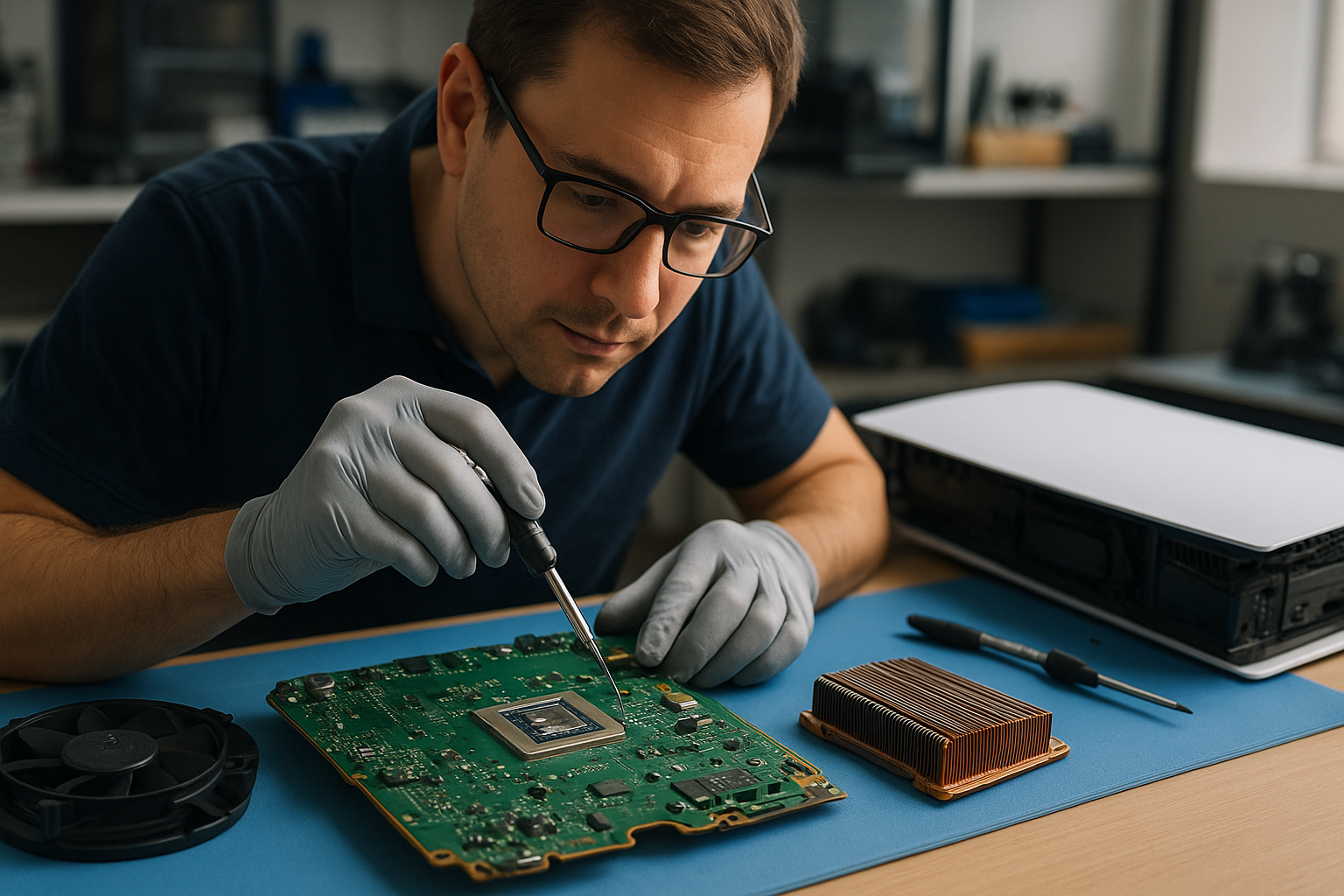
PS5 liquid metal replacement Coquitlam
Professional Console Repair and Maintenance
At Moe Repair in Coquitlam we specialize in professional console repair and maintenance, with over 15 years of experience servicing gaming systems across Coquitlam, Burnaby, Port Moody, Port Coquitlam, New Westminster and Maple Ridge. Our technicians understand the unique thermal challenges of modern consoles like the PS5, PS5 Slim and PS5 Pro and we offer full diagnostics and repair services including PS5 liquid metal replacement, fan cleaning, dust removal and full thermal management upgrades.
PS5 Liquid Metal Replacement
Liquid metal replacement on the PS5 is a high-precision thermal service that replaces degraded thermal interface material (TIM) between the SoC/CPU/GPU and the heatsink. Over time, the factory thermal paste or pads can dry out, causing higher operating temperatures, louder fan noise and even random shutdowns. Liquid metal provides superior thermal conductivity compared with standard thermal paste and can significantly lower temperatures when applied correctly by a trained technician.
At Moe Repair we follow a careful process: complete teardown in a static-safe environment, inspection for previous corrosion or residue, safe application of liquid metal to appropriate chip surfaces, and reassembly with quality thermal pads and screws torqued to spec. We do not recommend DIY liquid metal jobs, as improper application can cause shorts on PCBs or corrosion, especially on PS5 Pro and Slim variants where access is more compact.
Console Cleaning and Dust Removal
Dust buildup is one of the most common causes of overheating and loud fan noise. Our PS5 cleaning service includes a full disassembly, compressed-air safe dust removal, ultrasonic cleaning of fan assemblies if needed, and replacement of degraded thermal pads. We remove dust from intake vents, heatsinks, and internal fans to restore proper airflow. For customers in Coquitlam, Burnaby and Port Moody we offer fast turnaround to minimize downtime so you can get back to gaming.
Console Overheating Repair
Overheating in the PS5 often presents as excessive fan noise, thermal throttling, random shutdowns, or persistent hot spots on the chassis. Our overheating repair workflow begins with a full diagnostic and thermal scan to identify whether the issue is caused by dust buildup, failing fans, dried thermal interface, or a deeper hardware fault.
We repair overheating issues by combining targeted repairs: fan cleaning or replacement, heatsink inspection, reapplication of thermal paste or liquid metal, and ensuring proper airflow and motherboard health. This comprehensive approach helps restore performance for PS5, PS5 Slim, and PS5 Pro consoles. We also service Xbox Series X and Xbox Series S for similar thermal problems.
Real Repair Example
A recent case at our Coquitlam shop: a PS5 brought in with loud fan noise and frequent random shutdowns after 45–60 minutes of gameplay. Diagnostics showed CPU temperatures spiking above safe levels and fan RPMs consistently high. We opened the unit and found significant dust accumulation in the intake and on the heatsink fins, and the factory thermal compound showing signs of degradation.
Step 1 — Diagnostic: Performed thermal imaging and stress testing to confirm overheating under load and to localize hot spots.
Step 2 — Cleaning: Full disassembly and thorough dust removal using anti-static brushes, controlled compressed air, and ultrasonic cleaning on the fan housing. We removed an oily residue from the fan bearings and replaced a slightly failing fan blade to eliminate vibration.
Step 3 — Liquid metal inspection & application: After removing the degraded TIM, we inspected the die surfaces and surrounding PCB for any contamination. We carefully applied a thin, controlled layer of liquid metal on the SoC and GPU contact surfaces, using non-conductive protective barriers around nearby components to prevent spillage. We also replaced thermal pads on VRMs and memory with high-quality replacements.
Step 4 — Reassembly & Testing: Reassembled the console, recalibrated the fan curve, and ran extended stress tests. Temperatures dropped by an average of 10–15°C under load, fan RPMs reduced and stabilized, and the console no longer experienced random shutdowns. The customer in Port Coquitlam reported a quieter and more consistent gaming experience back at home within 48 hours.
Signs Your Console Needs Service
- Loud or grinding fan noise during normal use
- Random shutdowns or thermal throttling during gameplay
- Persistent high temperature readings or hot chassis surfaces
- Reduced performance, frame drops, or overheating-related glitches
- Visible dust buildup at vents or obvious reduction in airflow
If you notice any of these signs on your PS5, PS5 Pro, PS5 Slim or Xbox Series consoles, bring it to Moe Repair in Coquitlam for prompt diagnostics and service.
Why Thermal Management Matters
Thermal management directly affects reliability and longevity. Excess heat accelerates component wear, can lead to solder joint fatigue, and increases the risk of hardware failures. Using proper thermal solutions like professionally applied liquid metal along with clean fans and clear airflow paths ensures stable performance and quieter operation. Our approach balances cooling performance with long-term safety—choosing the right TIM for each contact point and ensuring no conductive material contacts the PCB.
Gaming Consoles We Service
We service a wide range of modern consoles and related hardware, including:
- PS5, PS5 Slim, PS5 Pro
- Xbox Series X, Xbox Series S
- Older generation consoles and accessories where thermal issues or dust buildup are present
We also handle broader device repairs and upgrades—see our other local services like computer repair in Coquitlam, laptop repair in Coquitlam, and MacBook repair in Coquitlam for related maintenance needs.
Why Choose Moe Repair
- 15+ years of hands-on experience repairing gaming consoles and computers in Coquitlam.
- Certified, static-safe workshop with equipment for precision liquid metal application and thermal diagnostics.
- Fast local turnaround for residents of Coquitlam, Burnaby, Port Moody, Port Coquitlam, New Westminster and Maple Ridge.
- Transparent pricing, diagnostic reports and before/after thermal scans so you can see the improvement.
- Warranty on parts and workmanship for peace of mind.
Frequently Asked Questions
How long does a PS5 liquid metal replacement take?
Typically 1–3 business days depending on parts availability and workload. A full diagnostic, careful cleaning, liquid metal application and testing are essential and we prioritize thoroughness over rush jobs.
Is liquid metal safe for my PS5?
When applied by experienced technicians who use proper protection and isolation techniques, liquid metal is safe and offers superior thermal performance. Incorrect application can cause damage, so we recommend having the service performed at a professional shop like Moe Repair.
Will liquid metal void my warranty?
Applying liquid metal typically voids manufacturer warranty if the console is still covered. If your console is out of warranty or you accept the trade-off for improved cooling, we can proceed and document the work clearly for you.
Do you offer fan replacement and cleaning?
Yes. We clean fan assemblies, replace worn bearings or entire fan units as needed, and balance or lubricate fans to reduce noise and vibration.
Can you service consoles from nearby cities like Burnaby or Maple Ridge?
Absolutely. We serve Coquitlam and nearby communities including Burnaby, Port Moody, Port Coquitlam, New Westminster and Maple Ridge. Drop-offs and mail-in options are available—contact us for details.
Contact Moe Repair Today
Moe Repair
778-951-4872
Ready to schedule a PS5 liquid metal replacement or a comprehensive cleaning and thermal check? Reach out to schedule a diagnostic or contact Moe Repair online.