
Liquid damage repair North Vancouver: Expert laptop and MacBook service
As a senior technician with over 15 years of hands-on experience, I know how urgent spills feel. If you need Liquid damage repair North Vancouver, call Moe Repair right away. I will explain realistic diagnostics, tell you what to expect, and provide practical steps you can take before you arrive.
Liquid damage repair North Vancouver – common symptoms and first steps
After a spill, symptoms vary. You may see liquid under the screen, sticky or unresponsive keys, flickering display, sudden shutdowns, battery not charging, or the device will not power on. Sometimes the laptop boots but ports die, Wi-Fi stops working, or the trackpad misbehaves. In other cases you smell corrosion or burnt components.
First, power off the device immediately. Next, disconnect chargers, external drives, and remove the battery if you can. Do not try to power it back on repeatedly. Instead, bring the device to Moe Repair for controlled drying, diagnostics, and safe data recovery. These initial steps limit short circuits and reduce corrosion.
What we do on arrival
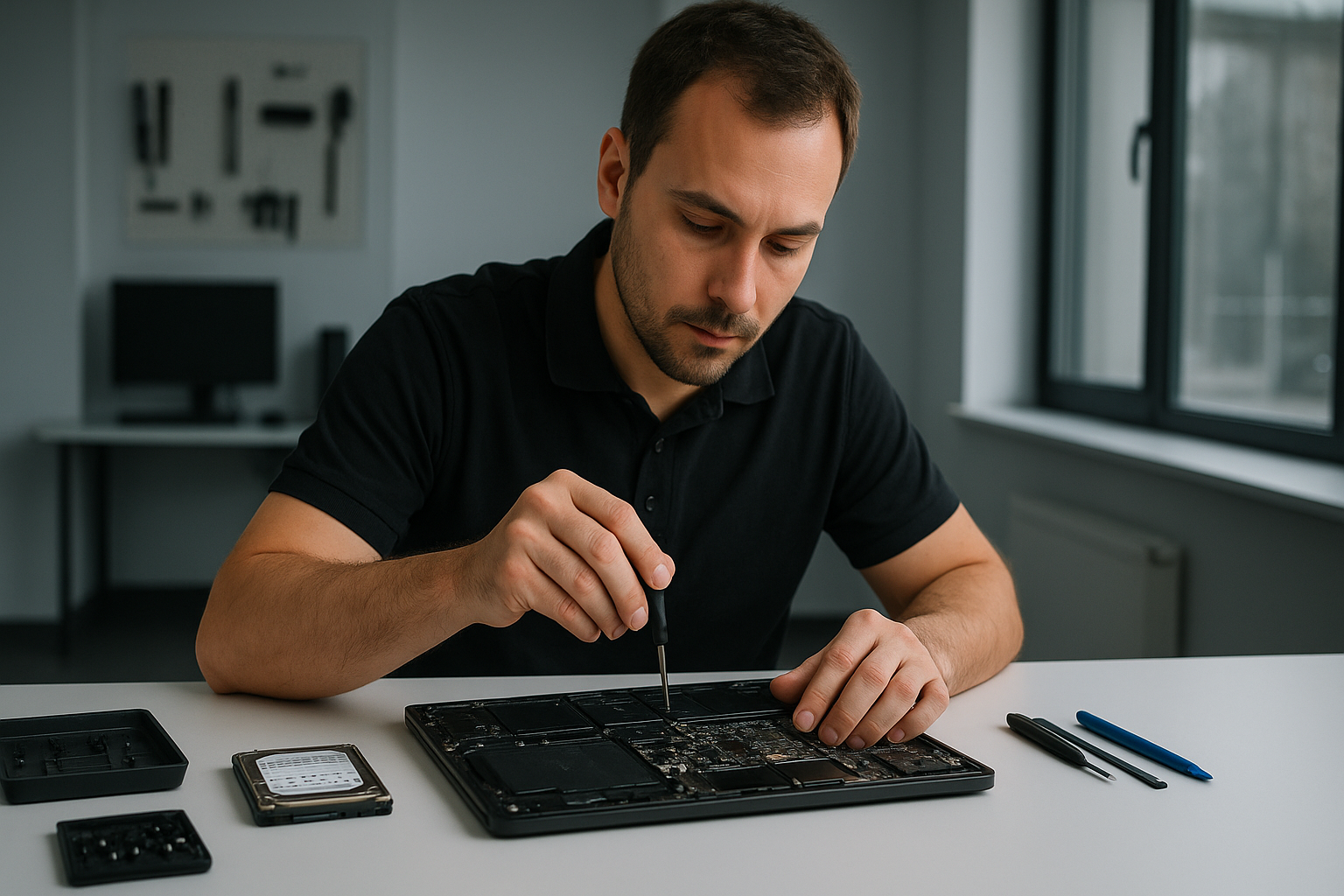
At Moe Repair we follow a step-by-step workflow. First, we photograph the device for records. Then we open the chassis and inspect for corrosion, residue, and liquid pathways. We remove the battery, SSD or HDD, and any easily removable modules. We test power rails with a multimeter, and then we perform component-level checks on the logic board.
We often use isopropyl alcohol cleaning and specialized brushes. For severe corrosion we recommend ultrasonic board cleaning followed by controlled drying. If the motherboard shows shorts, we perform targeted repairs, trace lift testing, and micro-soldering when possible. When the logic board is beyond economical repair, we offer motherboard repair or replacement options, and help with data recovery from your storage drive.
Realistic repair procedures
Liquid damage repair can include:
- Full teardown and corrosion cleaning.
- Ultrasonic cleaning for saltwater or sweet liquid exposure.
- Component-level diagnostics and replacement, including power ICs, charging circuits, and connectors.
- Keyboard replacement or trackpad repair when input components are damaged.
- Screen replacement if the LCD or backlight was affected.
- Battery replacement, SSD upgrades, or Windows installation and virus removal if software issues arise.
We also offer laptop fan replacement and thermal paste replacement if the device overheats after repair. For gaming PC repair or desktop systems we test power supplies and PCIe devices for moisture damage.
Diagnostics and data recovery
We perform non-destructive diagnostics first. If the storage drive still spins or the SSD responds, we prioritize data backup and recovery. For drives with water exposure we use write-blockers and forensic-level imaging to protect your data. If required, our data recovery services include logical and physical recovery procedures.
For MacBook repair, we check for board-level issues unique to Apple hardware, and for Windows laptops we test BIOS, power rails, and SSD health. We will recommend SSD upgrades during the repair if that improves performance and stability.
How long does repair take, and what does it cost?
Minor spills with no corrosion can sometimes be fixed in 24 to 48 hours. Severe liquid ingress with corrosion and component damage may take several days to a week for ultrasonic cleaning, parts ordering, and micro-soldering. We provide a clear estimate after inspection. We always explain repair vs data recovery vs replacement options so you can choose what works for your budget.
Preventive advice from a senior tech
To reduce future risk, avoid liquids near open ports, use a keyboard cover, and consider a laptop sleeve. Backup important files often. If your device suffered a spill, stop using it and bring it in for professional cleaning. Trying to power it on and drying with heat can cause irreparable damage.
Related services we provide
At Moe Repair we handle a wide range of repairs: laptop repair, MacBook repair, screen replacement, battery replacement, keyboard replacement, trackpad repair, motherboard repair, SSD upgrades, data recovery, virus removal, Windows installation, computer tune-up, thermal paste replacement, laptop fan replacement, and gaming PC repair.
We serve Coquitlam, Burnaby, Vancouver, Surrey, Richmond, New Westminster, Maple Ridge, Port Moody, Port Coquitlam, Pitt Meadows, Langley, Delta, North Vancouver, West Vancouver, White Rock, Abbotsford, Mission, and Chilliwack.
Why choose Moe Repair
With more than 15 years of hands-on repair experience, I deliver honest diagnostics and precise repairs. I explain component-level fixes, offer OEM and aftermarket parts, and train you on prevention. We use clean modern workshop procedures and offer competitive pricing for laptop and desktop repairs.
If you notice any of these symptoms after a spill, act fast. For immediate help call Moe Repair at 778-951-4872 or email service@moerepair.ca. We prioritize liquid-damaged devices and can usually schedule same-day drop-off in the North Vancouver area.
Moe Repair, Phone: 778-951-4872, Email: service@moerepair.ca